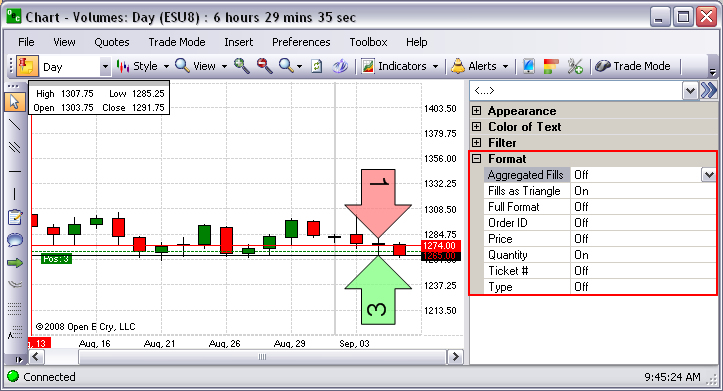
|
Item |
Description & Default |
How to change |
|
Fills as Triangle |
Show as object on chart. On is default. |
Double-click on the row. |
|
Full Format |
Increase display area of Order Arrow to include, quantity, contract, and order type. Off is default. |
Double-click on the row. |
|
Order ID |
Show price inside Arrow. Off is default. |
Double-click on the row. |
|
Price |
Show price inside Arrow. Off is default. |
Double-click on the row. |
|
Quantity |
Show quantity inside Arrow. On is default. |
Double-click on the row. |
|
Ticket # |
Show quantity inside Arrow .Off is default |
Double-click on the row. |
|
Type |
Show order type in filter data. Off is default. |
Double-click on the row. |
Note: The first Figure displays the Default settings and the second Figure displays the Text information inside the Order Arrow. Refer to the Figure below.